Kick Video Downloader
Download Kick VODs, Streams & Clips in HD
The ultimate browser companion for Kick.com. Injects a green "Download HD" button overlay directly on player panels to grab complete streams, video highlights, and clips. Convert videos to MP3 audio files with high-speed multi-threaded downloads.
What is the Kick Video Downloader?
Kick Video Downloader is a premier, full-featured Chromium browser extension designed to help content creators, editors, and fans extract high-quality video content from Kick.com. Whether you need to archive a complete 8-hour live broadcast, grab a quick clip highlight, or convert a music stream into offline audio, this utility is built to handle it effortlessly.
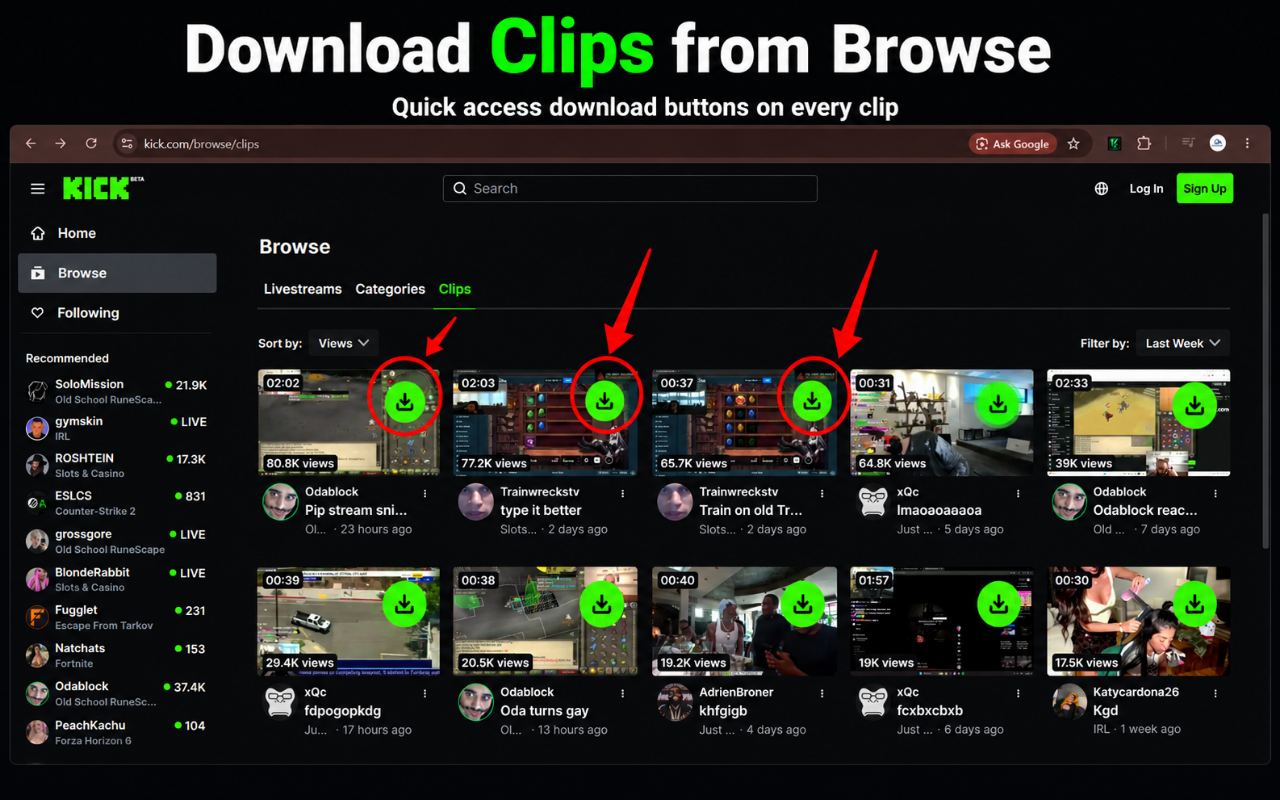
Unlike traditional clunky websites that bombard you with popup advertisements, spam redirects, and slow download speeds, our tool is integrated directly into your web browser. With its unique DOM injection script, a green overlay button sits natively on top of the Kick video player, enabling one-click downloads.
Under the hood, Kick Video Downloader detects and processes Kick’s HLS streaming playlists (m3u8 index files). It compiles video chunks into high-quality MP4 and MP3 files natively on your browser. Limits are tracked using your Chrome profile email securely through the Google Identity API, providing a seamless user experience.
See the Interface in Action
Explore screenshots of the Kick Video Downloader Chrome Extension interface, settings, and player integration.
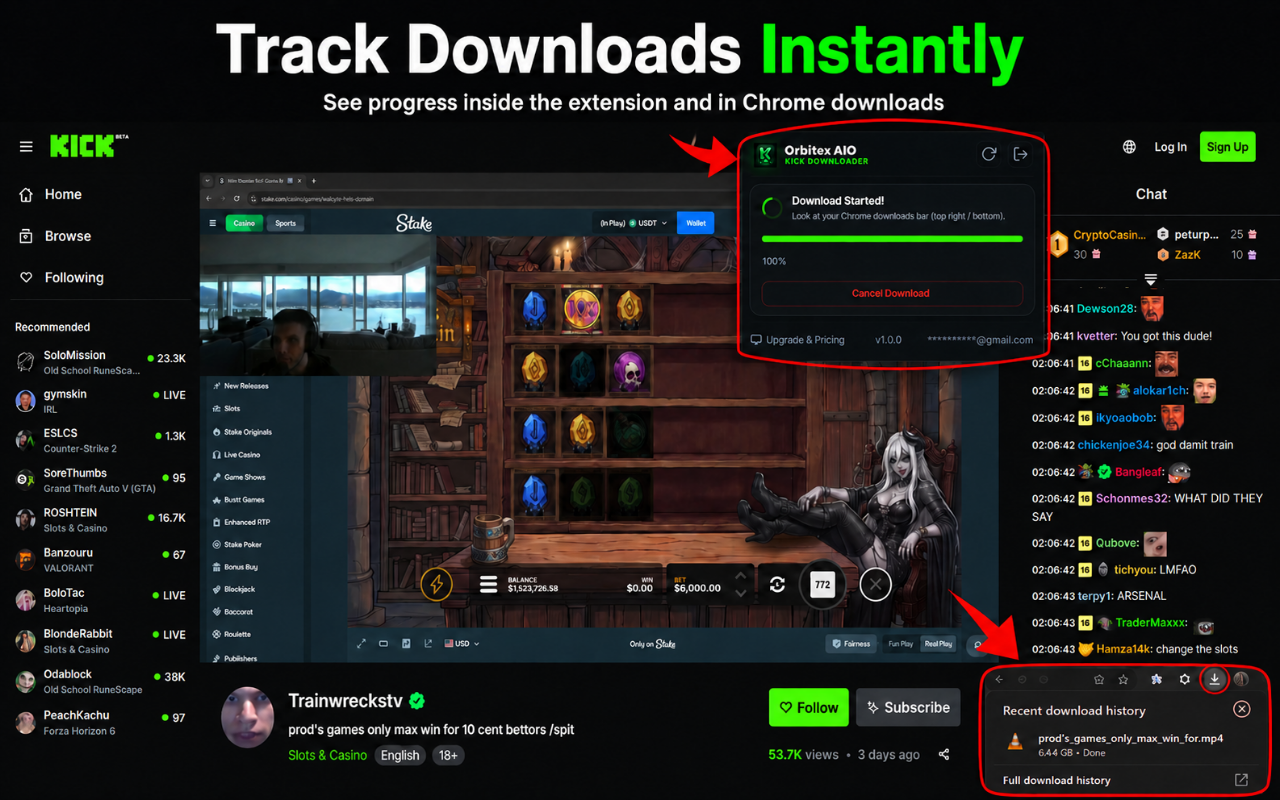
Powerful Downloader Features
Everything you need to scrape, extract, and download Kick.com content without hassle.
Full VOD Downloader
Download entire Kick VODs and past broadcasts up to 1080p. Extract hours of streams in minutes with multi-thread speed.
High-Quality Clips
Download Kick clips in full HD (1080p & 720p). Save highlights, funny moments, and epic plays instantly.
MP3 Audio Extraction
Want to listen to a stream podcast, DJ set, or talk show? Extract and download streams directly in MP3 format.
Inline player button
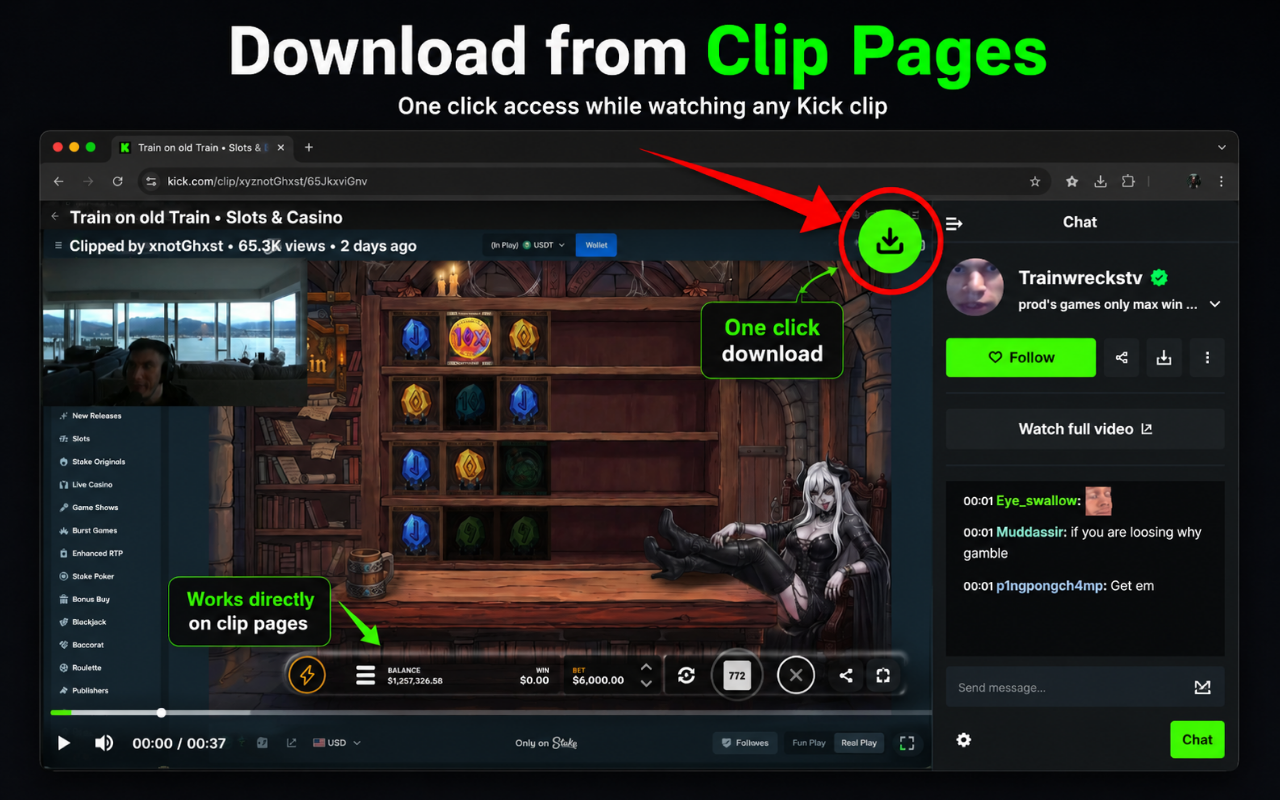
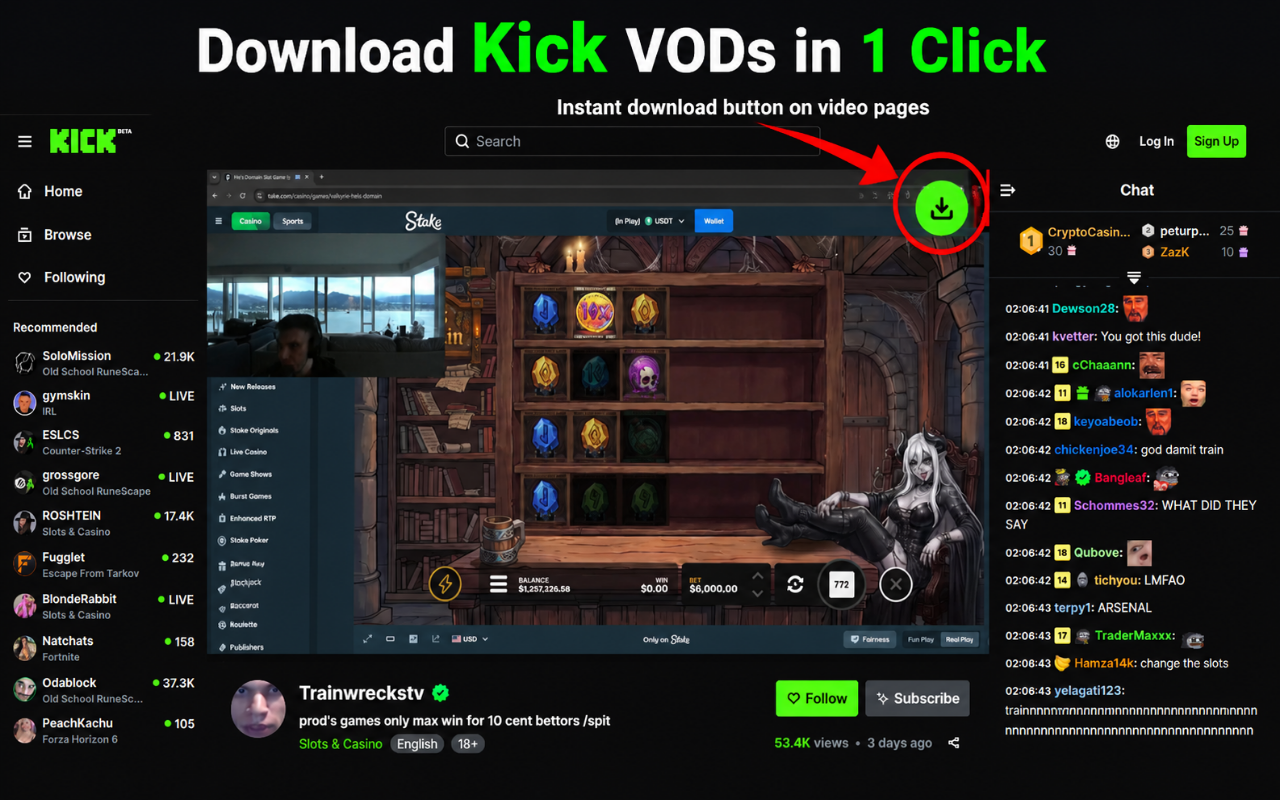
Injects a green "Download HD" button overlay directly on the Kick video player. One click to download without leaving the stream.
Active Tab Auto-Detect
Open the extension popup and it automatically reads the active tab. No copy-pasting required; it detects Kick links instantly.
Google Profile Sync
Syncs your free download limits automatically using your signed-in Chrome profile email. Easy, secure, and passwordless.
Customizable Endpoints
Advanced users can modify API backend endpoints or toggle developer test modes directly in the settings panel.
Safe & Secure
100% compliant with Chrome Store developer policies. No malware, no ads, no cookies, and no personal data tracking.
How to Download Kick streams & clips
Get started in under 30 seconds. Here’s a quick guide on how to save Kick media using the extension.
Install the Extension
Add Kick Video Downloader to your Chrome, Edge, or Brave browser from the Chrome Web Store in one click.
Open Any Kick Stream/Clip
Navigate to any video (VOD) or clip on Kick.com. The extension will automatically detect the media stream.
Click "Download HD"
Hover over the video player to use the injected green download button, or click the extension icon to open the popup.
Select Quality and Save
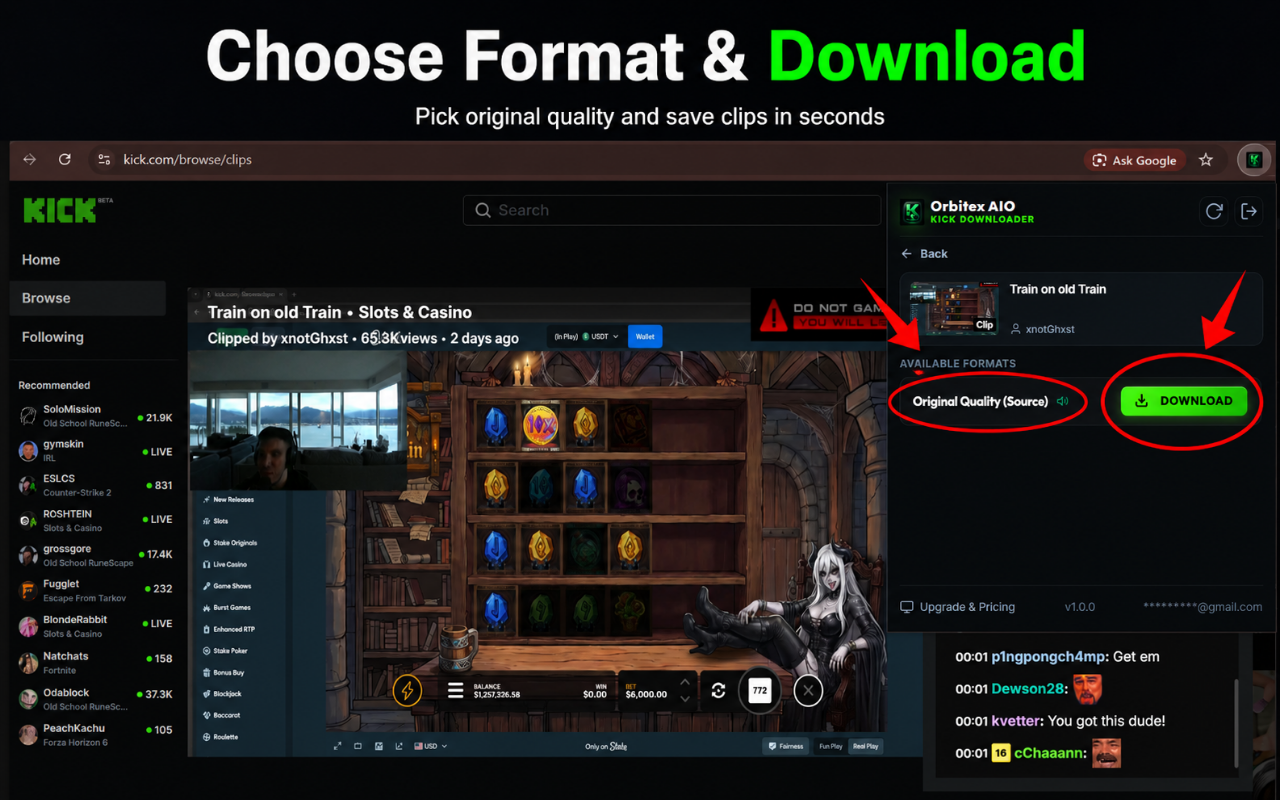
Choose your desired video resolution (1080p, 720p, etc.) or MP3 audio option. The download starts instantly to your folder.
Standard Web tools vs Kick Video Downloader
See how much faster and safer a dedicated extension is compared to online website downloaders.
| Task/Feature | Standard Online Tools | Kick Video Downloader |
|---|---|---|
| Download Full 4-Hour VOD | Impossible (or requires complex CLI tools) | Yes, with one click |
| Download Kick Clips | Inspect element & find direct links | Instant green button overlay |
| Extract Audio to MP3 | Download video first + use converter | Direct MP3 download option |
| Download Speed | Slow and buffered | Multi-threaded high speed |
| Safety and Ads | Spammy sites with malware and redirect ads | Ad-free, secure Chrome Extension |
| Link Copy-Pasting | Required on every tool | Auto-detection from active tab |
The Ultimate Guide to Kick Video Downloads
Why You Need a Dedicated Kick Video Downloader in 2026
As streaming platforms evolve, Kick.com has emerged as a major player, hosting popular creators, live events, esports tourneys, and hours of gaming content. However, one key feature missing from the platform is a native option to download past broadcasts (VODs) or clips. For content creators, stream editors, and compilation channels, getting raw video files is essential.
Using random web utilities or online download sites often ends in frustration. These websites are plagued by invasive redirect advertisements, mining scripts, and malware risks. Furthermore, because Kick streams utilize the HLS (HTTP Live Streaming) protocol, downloading a 6-hour broadcast is technically difficult-causing online websites to frequently freeze, time out, or corrupt output files. A dedicated browser extension runs directly on your machine, leveraging local CPU capabilities to capture files securely and quickly without limits breaking.
How to Save Kick VODs in High Definition (Step-by-Step)
Saving past streams (VODs) is simple with the Kick Video Downloader extension:
- First, download and unpack the extension on your Google Chrome, Microsoft Edge, or Brave browser. Ensure it is pinned to your extensions bar for quick status checks.
- Navigate to Kick.com and select the stream video page (e.g.
kick.com/video/[video-id]). - Wait for the video player to load. You will notice a glowing green "Download HD" overlay button injected on the top-right container of the player. Alternatively, you can click the extension icon to query stream details.
- Click the button. The extension will read the underlying media playlist files (.m3u8 index) and fetch available resolutions like 1080p, 720p, 480p, or 360p.
- Choose your resolution. If you only want to save audio, choose the MP3 extractor. The extension will compile stream fragments and download the file directly to your system downloads folder.
The Ultimate Kick Clip Downloader for Editors and Creators
For stream editors who create TikTok highlights, YouTube Shorts, or funny compilation videos, speed is everything. Copy-pasting clip URLs into download web tools is incredibly tedious.
Kick Video Downloader solves this issue with tab auto-detection and UI button injection. If you are browsing Kick clips (e.g., kick.com/clip/[clip-id]), the inline "Download HD" button appears directly above the clip player. Click it, select 1080p, and have the clip ready for Adobe Premiere, CapCut, or DaVinci Resolve in seconds. It maintains the original source frame rate and bitrates, ensuring your edited videos look crisp and clean when re-uploaded.
How Our Extension Resolves Common Kick Downloader Failure Issues
If you have ever tried to download stream video files from Kick using generic browser downloaders, you have probably run into standard errors like "Download Failed", "Network Timeout", or "Forbidden (403)".
These failures happen because Kick’s servers restrict media access via session headers and token cookies. Generic scraping sites run on remote VPS servers that do not carry your personal browser cookies, triggering Kick's bot defense filters. Our browser extension operates locally inside your actual browser session, so it automatically shares your browser authorization context when calling media segments. This client-side execution guarantees a 99.9% download success rate, making it the most reliable Kick downloader on the market.
Understanding Kick.com's Streaming Architecture (HLS & m3u8 Streams)
To appreciate how the extension works, it helps to understand Kick’s tech stack. When a creator streams on Kick, their video card encodes their gameplay and broadcasts it to Kick's server as an RTMP stream. Kick's servers instantly transcode this incoming feed into HLS (HTTP Live Streaming).
HLS splits the video into hundreds of small 2-second to 6-second video files (usually in .ts file format) and logs them inside a playlist index file (known as an .m3u8 file). When you watch a stream, your browser plays these segments sequentially. Our extension detects the m3u8 file, fetches all segment links listed inside, downloads them in parallel, and merges them into a single, contiguous, high-quality MP4 file. This bypasses the need for server-side processing, preserving your bandwidth and producing perfect videos.
Is Downloading Kick Videos Legal? What You Need to Know
A common question from users is whether downloading Kick streams violates terms of service or copyright laws. Downloading video content for personal offline viewing or archiving fall under "fair use" in many jurisdictions. However, redistributing downloaded content, publishing compilations, or using stream assets commercially without the explicit permission of the original streamer can lead to copyright claims or platform restrictions.
We recommend using the extension responsibly. Always credit the streamer if you use their clips in your videos, and obtain author consent before re-uploading full VOD broadcasts.
Frequently Asked Questions
Got questions? Find answers to commonly asked questions about our Kick Video Downloader tool.
Get Started with Kick Downloader
Join thousands of content editors and streamers who download highlights and stream archives seamlessly. Add it to your browser now.