Orbitex VPN
Free VPN Proxy for Chrome
Hide your IP address, unblock websites and change your location in one click, right from your browser toolbar. 90 minutes free every day, an encrypted connection, a kill switch and WebRTC leak protection - with no browsing logs.
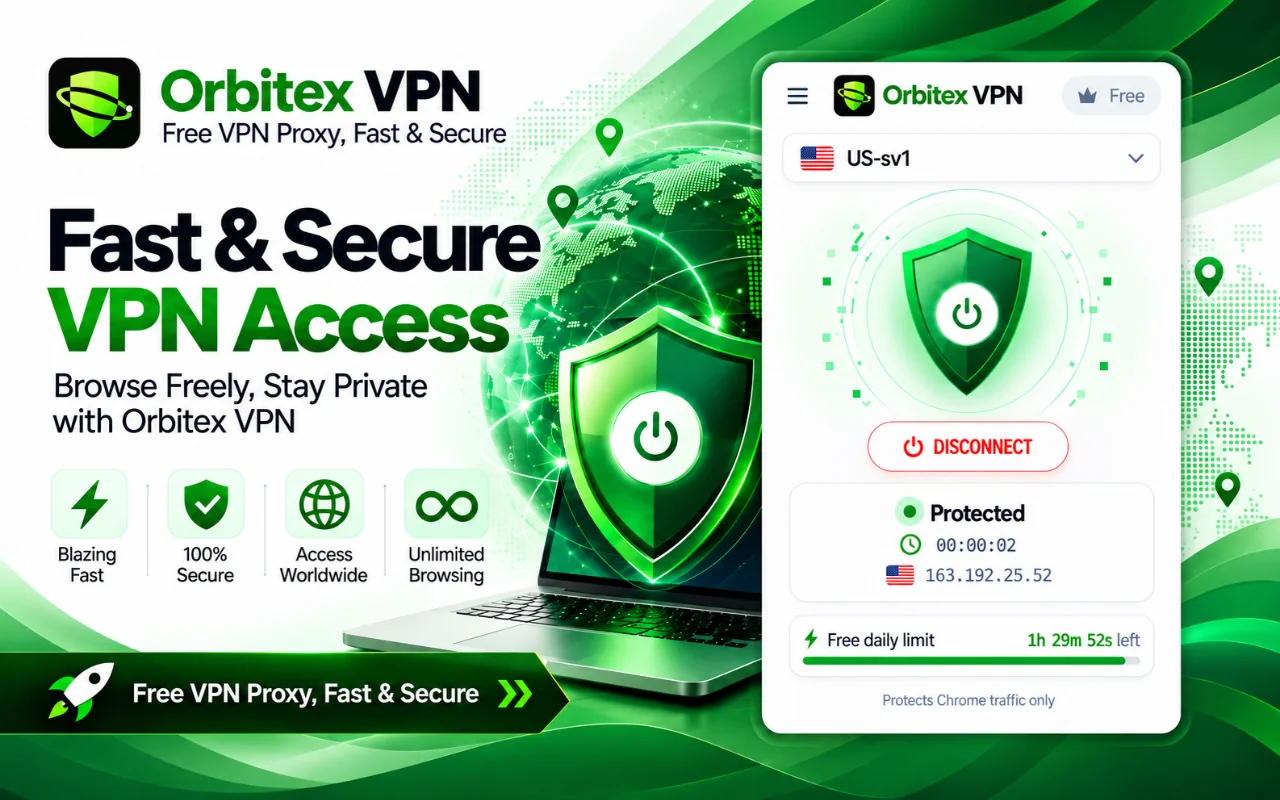
One tap to connect - status, session timer, your new IP and free time left
What is Orbitex VPN?
Orbitex VPN is a VPN proxy built into Chrome. Tap connect and Chrome's traffic travels through Orbitex servers over an encrypted connection, so websites see the server's IP address and location instead of yours.
The free plan needs nothing more than a Google sign-in: you get 90 minutes of VPN every day on servers in the United States and France. Premium removes the time limit and opens up 41 more countries across five continents.
Privacy protection is on by default - a kill switch so a server problem never exposes your real IP, WebRTC leak protection, and an optional ad and tracker blocker. Orbitex VPN covers Chrome only; other apps on your device keep your normal connection.
Everything in One Click
Privacy tools that are on by default, plus the controls to make the VPN fit how you browse.
One-Click Connect
Connect and disconnect from the toolbar popup. Pick a location or let Automatic choose the least busy server for you.
Hide Your Real IP
Websites and trackers see the VPN server's address instead of yours, and you can browse as if you were in another country.
Encrypted Connection
Traffic between Chrome and Orbitex servers travels over an encrypted TLS connection, so your network cannot read it.
Kill Switch
If a server stops responding, pages stop loading instead of quietly falling back to your real connection and exposing your IP.
WebRTC Leak Protection
Stops websites from discovering your real IP address through WebRTC, a common leak in browser VPNs.
Ad & Tracker Blocker
Built-in blocking powered by EasyList and EasyPrivacy. Works with or without the VPN, and you can pause it per site.
Match Time Zone
Sites see the time zone of your VPN location, so your browser clock does not give away where you really are.
Site Rules
Choose sites that skip the VPN - your bank, for example. On Premium, send a site through a specific country every time.
Speed Test & Latency
Built-in speed test, live latency (ms) and load for every location, and favourites pinned to the top of the list.
24 Languages
The popup speaks 24 languages, including Urdu, Arabic and Hindi, with full right-to-left layout where it is needed.
Protected in 30 Seconds
No terminal settings and no desktop app - just the extension.
Add Orbitex VPN to Chrome
Install the extension from the Chrome Web Store. It lives in your toolbar - no desktop app to download.
Sign In with Google
One click with your Google account activates your free daily VPN time. No credit card and no registration form.
Pick a Location
Choose the United States or France on the free plan, or leave it on Automatic to connect to the least busy server.
Tap Connect
The popup shows Protected, your new IP address and a session timer. Tap again to disconnect.
Server Locations
Two free countries for everyone, and 41 more across five continents on Premium.
Free locations
- United States (3 servers)
- France (3 servers)
- Automatic (least busy server)
Europe, Middle East & Africa (21)
- Austria
- Belgium
- Czech Republic
- Denmark
- Egypt
- Finland
- Germany
- Greece
- Ireland
- Italy
- Netherlands
- Norway
- Poland
- Portugal
- Romania
- Spain
- Sweden
- Switzerland
- Turkey
- United Arab Emirates
- United Kingdom
Americas, Asia & Pacific (20)
- Argentina
- Australia
- Brazil
- Canada
- Chile
- Hong Kong
- India
- Indonesia
- Japan
- Malaysia
- Mexico
- New Zealand
- Pakistan
- Philippines
- Saudi Arabia
- Singapore
- South Africa
- South Korea
- Thailand
- Vietnam
Free or Premium
Start free. Upgrade only if you want unlimited time and every country. Secure checkout by Lemon Squeezy.
| Feature | Free | Premium |
|---|---|---|
| Daily VPN time | 90 minutes (resets every 24 h) | Unlimited |
| Locations | US, France + Automatic | Free locations + 41 countries |
| Kill switch & WebRTC protection | Included | Included |
| Ad & tracker blocker | Included | Included |
| Site rules | Skip the VPN for chosen sites | Also pin a site to a country |
| Browsers per account | 1 | Up to 5 (same Google account) |
| No browsing logs | Yes | Yes |
Privacy Without the Fine Print
What a VPN knows about you matters as much as what it hides.
What we never log
- The websites you visit
- Your browsing traffic
- Your DNS lookups
- Your real IP address
We never sell your data or use it for advertising.
Good to know
Orbitex VPN protects the traffic inside Google Chrome. Other apps on your device - games, desktop email, other browsers - keep using your normal connection.
Read exactly what is collected and why in the Orbitex VPN privacy policy.
Frequently Asked Questions
Common questions about Orbitex VPN.
Browse Privately in One Click
Add Orbitex VPN to Chrome and get 90 minutes of free VPN every day. No credit card needed.