Start with your experience
Create a resume, import an existing PDF or DOCX, and edit each section. Duplicate your work to tailor a separate version for another role.
Productivity / Android
Your experience. Ready for its next chapter.
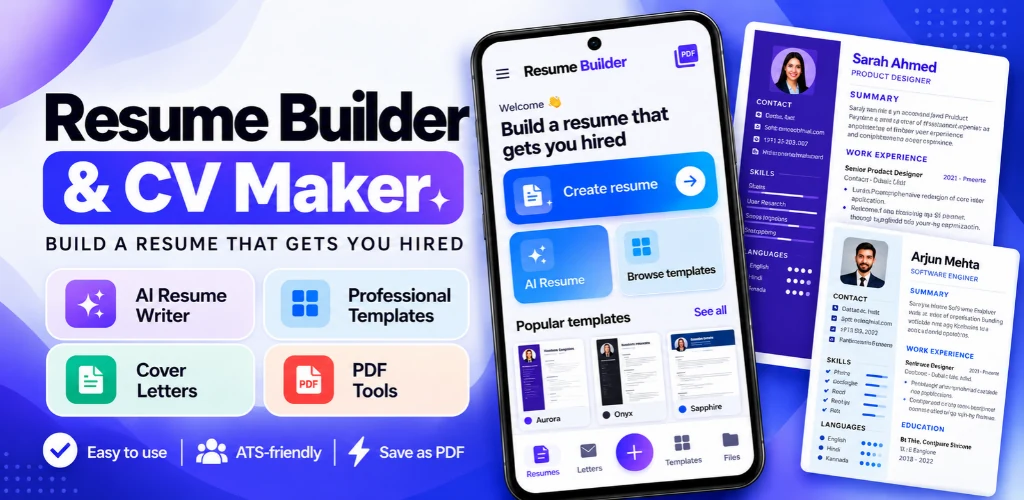
Build a resume or cover letter, choose a template, and fine-tune the details before exporting a PDF. Keep multiple versions for different roles, with writing help when you need it.
 In review
A CLOSER LOOK
THE DETAILS THAT MATTER
Create a resume, import an existing PDF or DOCX, and edit each section. Duplicate your work to tailor a separate version for another role.
Choose a template and adjust fonts, colours, margins, spacing and sections in the preview. ATS-friendly layouts use selectable PDF text.
Smart Assist works on your device to help with summaries, bullet points and cover letters. Optional online AI is available with your permission and an internet connection.
Write and format a cover letter, preview it and export it alongside your resume. Edit suggested text before using it.
Change section headings offline, including right-to-left layouts. Full resume translation creates a copy using online AI and needs an internet connection.
Save a PDF without a watermark, share it or choose a destination folder. Built-in tools can merge, split, compress and convert PDFs and images on your phone.
ABOUT RESUME BUILDER
Start from scratch or import a PDF or DOCX resume, then work through your contact details, summary, experience, education and other sections. Reorder sections, choose a template and customise typography, spacing, colours and layout in the preview. Create cover letters, duplicate a resume for another application and export your work as a PDF. Smart Assist offers on-device writing help. Optional online AI can help with drafting and translation when you allow it and have a connection. Always review generated wording so it accurately reflects your experience. Your resumes are stored on your phone without an account. The app includes free templates, fonts and PDF tools, with no watermark on exported resumes.
A FEW MORE DETAILS
Resume Builder is currently in Google Play review. The official store link will be added here when it is approved.
Resume editing, templates, on-device Smart Assist, PDF export and PDF tools work offline. Optional online AI and full resume translation need an internet connection.
The current app includes free templates, fonts, Smart Assist and PDF tools. Exported resumes do not have a watermark.
Resume Builder is in Google Play review. Its download link will be added after approval.
KEEP EXPLORING