DESIGN.md
Style Generator
Export Visual Style Tokens for AI Coding Assistants
Tired of AI agents inventing arbitrary padding, colors, and layout classes? DESIGN.md Style Generator parses Computed CSS styles, visual palettes, space grids, and typographic scales in one click. Feed the exported parameters to Claude Code, Antigravity, or Cursor to ensure pixel-perfect frontend generations.
Solve AI Coding Layout Drift
When prompting tools like Claude, Cursor, or Codex to add components or pages to your workspace, they lack visual context. The AI does not know that your primary button uses exactly #ADFF2F, has a border-radius of 0.375rem, and features a subtle glowing drop shadow.
As a result, the generated code introduces styling inconsistencies, leading to hours of manual refactoring. DESIGN.md Style Generator resolves this by extracting the exact design tokens of your target reference site and packaging them into clean developer files.
By dropping the generated DESIGN.md or SKILL.md in your workspace root, the AI assistant immediately accesses your styling constraints. This guarantees that any generated React components, CSS classes, and HTML elements integrate seamlessly into your existing layout.
Powerful Developer Features
Everything you need to audit, document, and bridge web design systems to AI coding agents.
One-Click Design Extraction
Scan any website to automatically compile visual style grids, computed font sizes, layout variables, and colors in seconds.
AI-Optimized Markdown
Generates structured DESIGN.md and SKILL.md specs formatted precisely to guide Claude Code, Antigravity, Cursor, and Codex.
Tailwind CSS Exporters
Automatically outputs custom Tailwind extend configurations and CSS custom property structures to integrate styles instantly.
Standard Design Tokens
Compiles extracted styles into a deeply nested JSON schema matching standard design token specifications for design system sync.
100% Local & Private
No remote APIs, no user tracking, and no logins required. Your source files, variables, and designs remain securely on your computer.
Heuristic Classifier
Intelligently infers and organizes variables into semantic categories (like Backgrounds, Buttons, and Borders) using layout context.
Canvas Palette Generator
Draws a beautiful, shareable canvas PNG of your design palette, featuring color swatches, typographic hierarchies, and spacing values.
Pro Theme Syncing
Upgrade to merge multiple page scans into a unified design system, apply AI-based refinements, and sync via webhook endpoints.
Take a Look at the Console UI
See how visual design tokens are grouped and formatted inside the sidepanel extension interface.
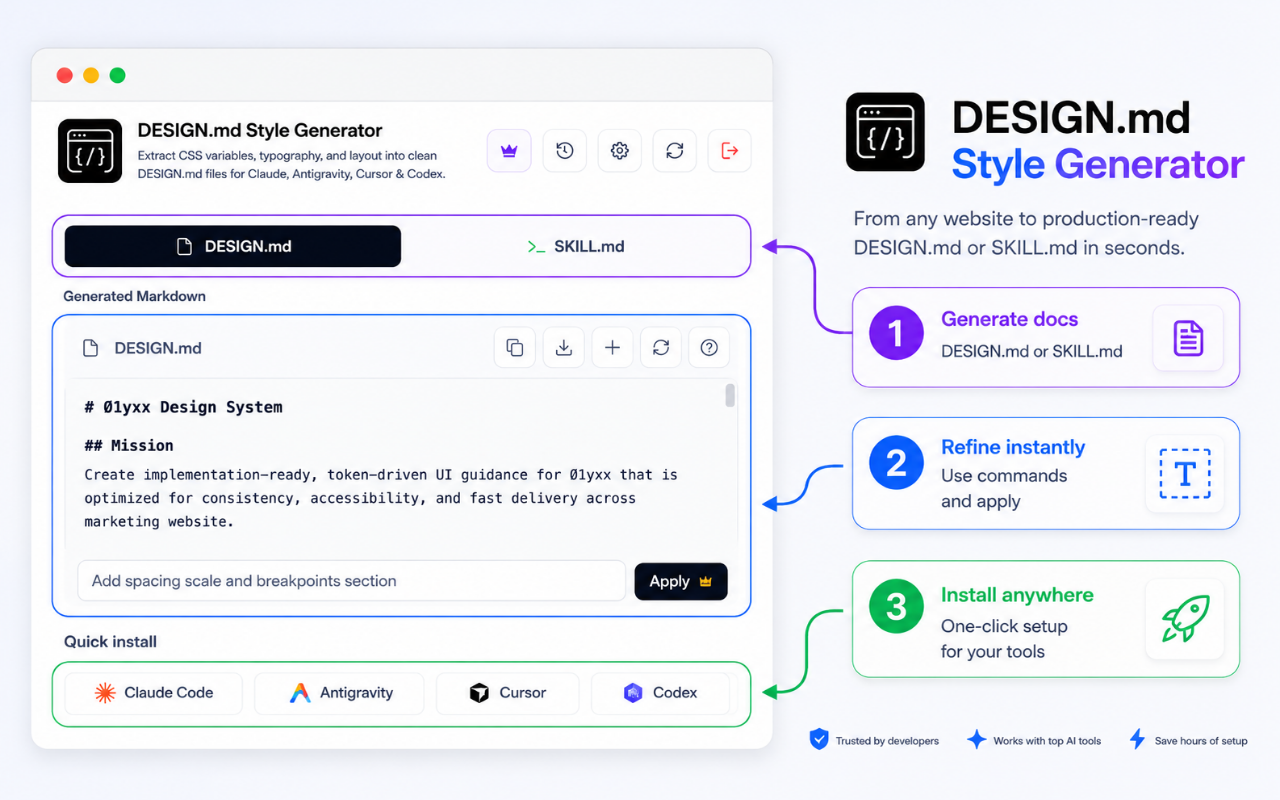
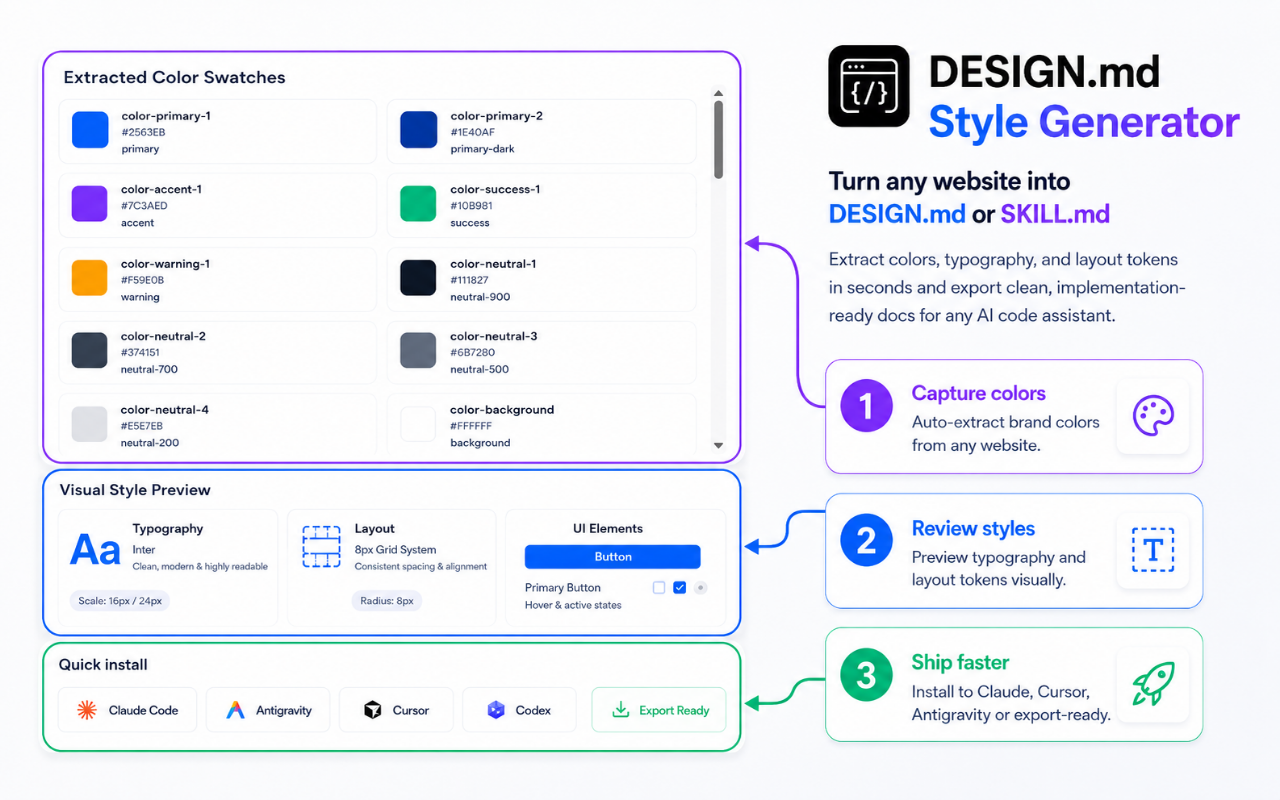
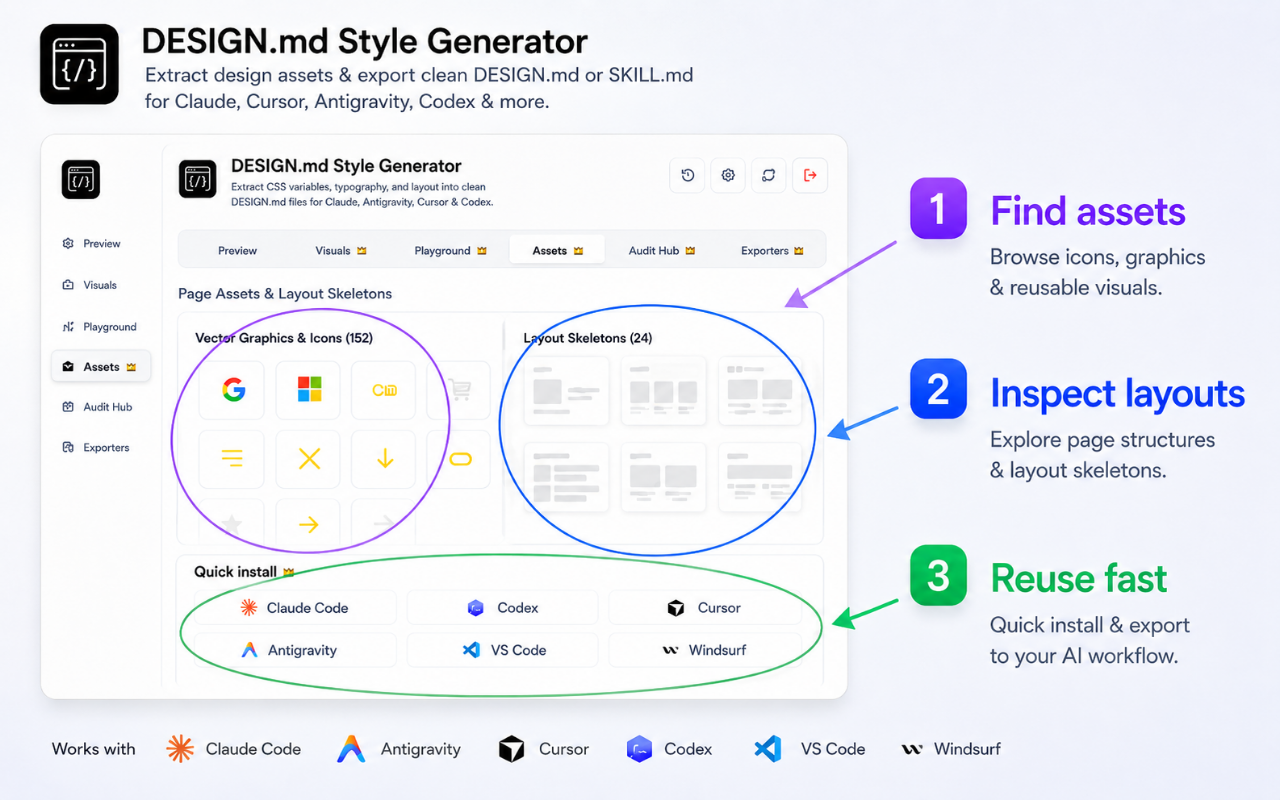
Harvesting design tokens in 4 steps
Get started in seconds. Follow these steps to package visual styles for your coding assistant.
Install the Extension
Add DESIGN.md Style Generator to your browser in a single click from the Chrome Web Store.
Open on Target Page
Navigate to any website or web app mock you want to harvest and open the extension in the sidepanel.
Click "Extract System"
The extension scans the DOM to build visual tokens, computed hierarchies, colors, and layout ratios.
Copy or Download
Export human-readable DESIGN.md, SKILL.md system rules, or standard JSON design tokens to feed your coding agent.
Manual CSS Audit vs DESIGN.md Generator
See how automation speeds up design-to-code alignment for developers.
| Task/Metric | Manual Inspections | DESIGN.md Extractor |
|---|---|---|
| Extract Colors & CSS Variables | Inspect elements manually one-by-one | Instant scan of all :root variables |
| Write DESIGN.md Specifications | Hours of writing styling guidelines | One-click AI-optimized output |
| Tailwind Extend Configs | Hand-mapping HSL/HEX into configuration | Pre-formatted Tailwind code ready to paste |
| Typographic Hierarchies | Measuring font sizes, weights, and lines | Scans and logs header-to-body scales |
| JSON Design Tokens | Tedious hand-coding nested JSON properties | Standard-compliant tokens generated instantly |
| Privacy Assurance | Sharing files with online cloud parsers | 100% local client execution |
The Developer's Guide to Design Specs for AI
Why AI Coding Assistants Struggle with Layout Aesthetics
In the era of agentic AI coding tools, writing structural code (like database schemas or API fetch loops) is a solved problem. However, UI assembly remains a major bottleneck. Large Language Models (LLMs) do not possess eyes to audit their visual outputs. Instead, they operate strictly on text tokens.
When you ask an AI tool like Claude Code or Cursor to build a component, it compiles a layout based on default styles or generic styling rules. Without a centralized style guideline file, it has no reference parameters. It guesses border radii, invents font weight scales, and uses color hex codes that do not exist in your project, creating a styling drift.
How a Local DESIGN.md Reference Solves CSS Chaos
A `DESIGN.md` file acts as a visual map for AI agents. By placing a detailed breakdown of your UI variables at the root of your project workspace, the AI agent reads this file during its initial workspace scanning process.
When the AI knows that your layout utilizes a specific typography scale, a fixed grid system, and an exact set of color classes, it builds components conforming strictly to these tokens. This prevents layout drift, decreases styling errors by up to 90%, and eliminates the need for tedious manual visual tweaking.
Inside StyleScribe's Heuristic DOM Classifier Engine
StyleScribe AI features a custom client-side heuristic engine that processes stylesheet rules. When you trigger a scan, the extension reads all sheets loaded inside the active viewport, normalizing shorthand properties (like margin shorthand values) and resolving CSS variables.
Next, the heuristic classifier assigns semantic categories. By analyzing computed color contrast, element dimensions, and CSS selectors, it infers the roles of variables: background colors, card grids, text highlights, border weights, and active state transitions. It outputs these variables in formats designed for easy parsing by AI parsers.
Frequently Asked Questions
Find answers to common questions about design system extraction and AI style configuration.
Get Started with DESIGN.md
Ready to automate visual design harvesting, copy Tailwind configurations, and build clean specifications for your coding agents? Install the extension.
DESIGN.md Style Generator Pricing & Policies
Plans, billing terms, and the policies that apply to the DESIGN.md Style Generator extension.