VidPulse - Facebook Video Downloader
Download Reels, Videos & Watch Posts in HD
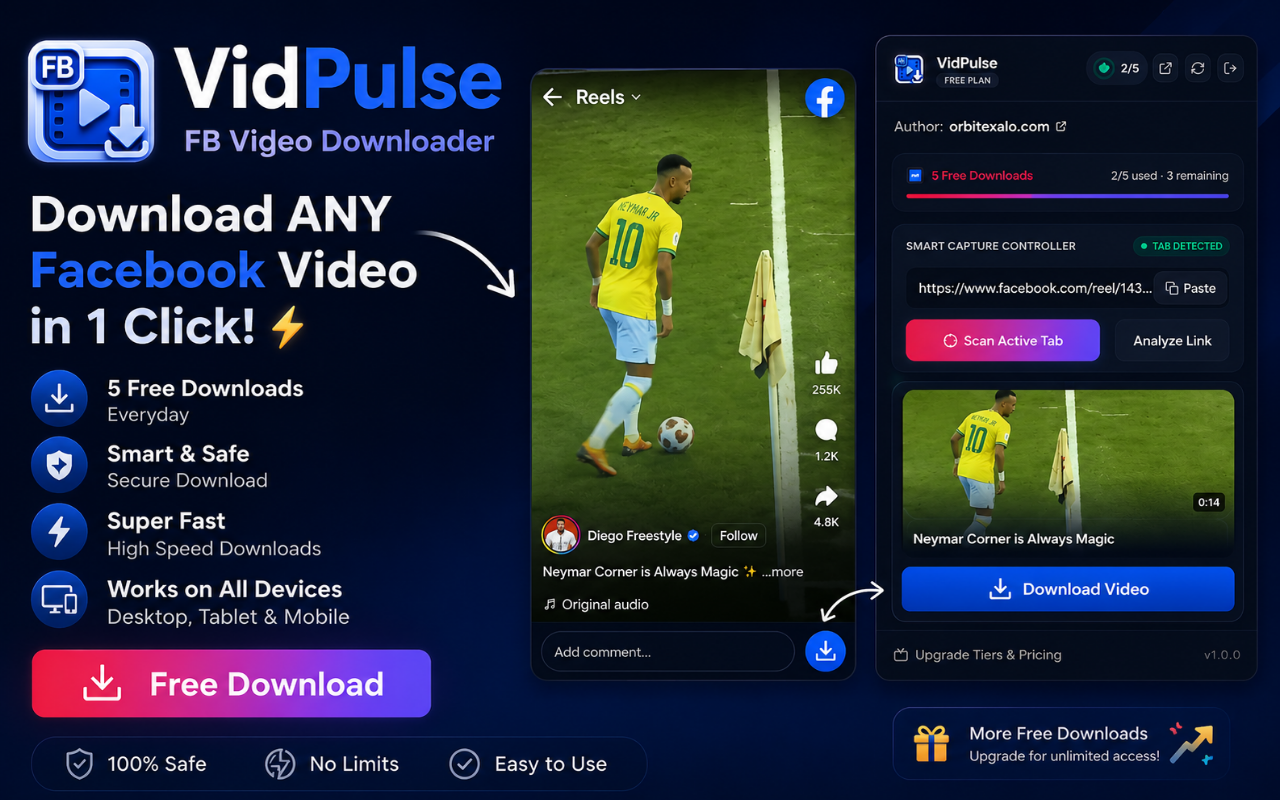
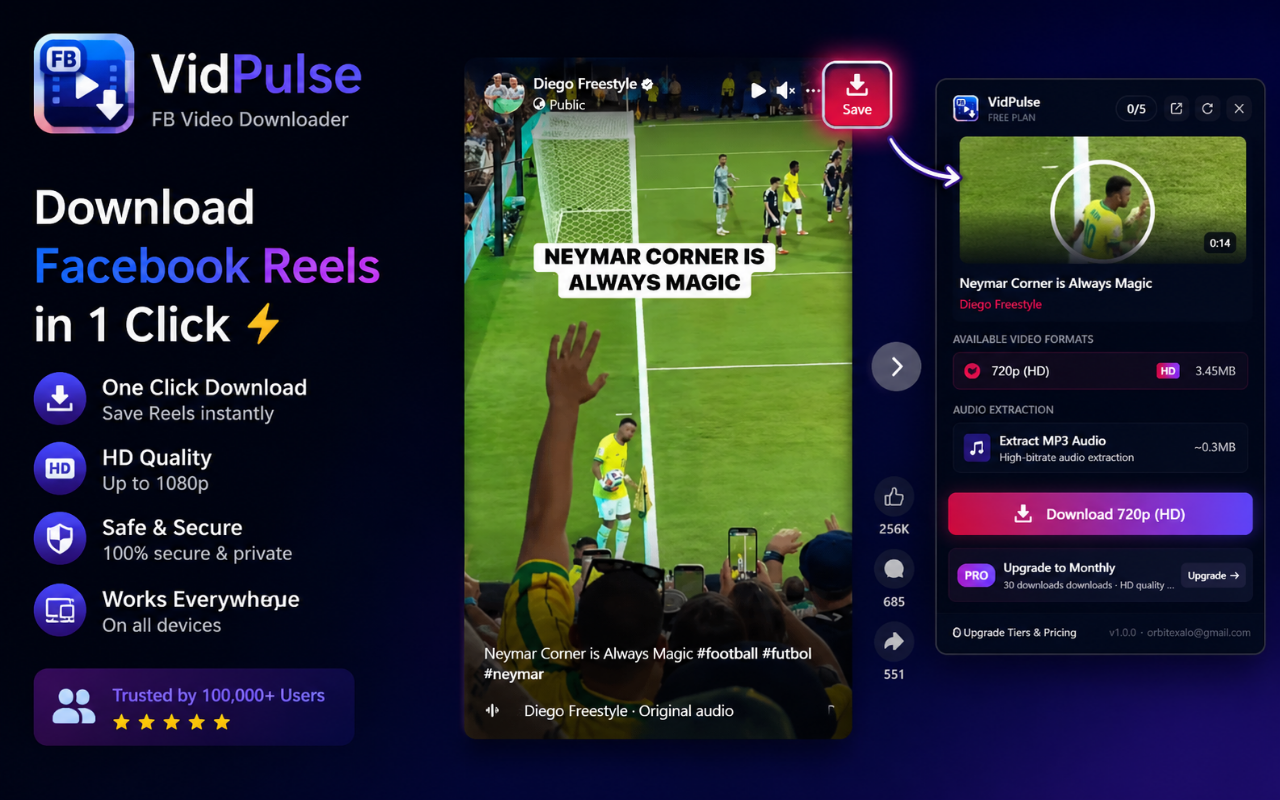
The ultimate browser companion for Facebook. Injects a native crimson "Save" button overlay directly next to Facebook player streams to save reels, watch posts, and video clips in 1080p. Extract audio directly to MP3 using local client-side processing.
What is the VidPulse Downloader?
VidPulse - Facebook Video Downloader is a state-of-the-art browser companion designed specifically for capturing media content from Facebook. Built using Manifest V3 specifications, it integrates smoothly into your daily browsing to offer ad-free, high-quality, and local video downloading.
Unlike standard websites that force you through endless redirect loops, spam pages, and security risks, VidPulse executes downloading scripts entirely client-side. The extension embeds a sleek crimson overlay button natively beside Facebook video and Reel components, providing instant access to download configurations.
Under the hood, VidPulse detects media feeds and HLS (HTTP Live Streaming) segment streams directly within the browser session. It retrieves the stream chunks, downloads them in parallel, and merges them into a clean MP4 or MP3 file on your computer. Your download limits are monitored and synchronized using the secure Google OAuth Identity API, keeping your account logged in across all devices.
Explore the Dashboard
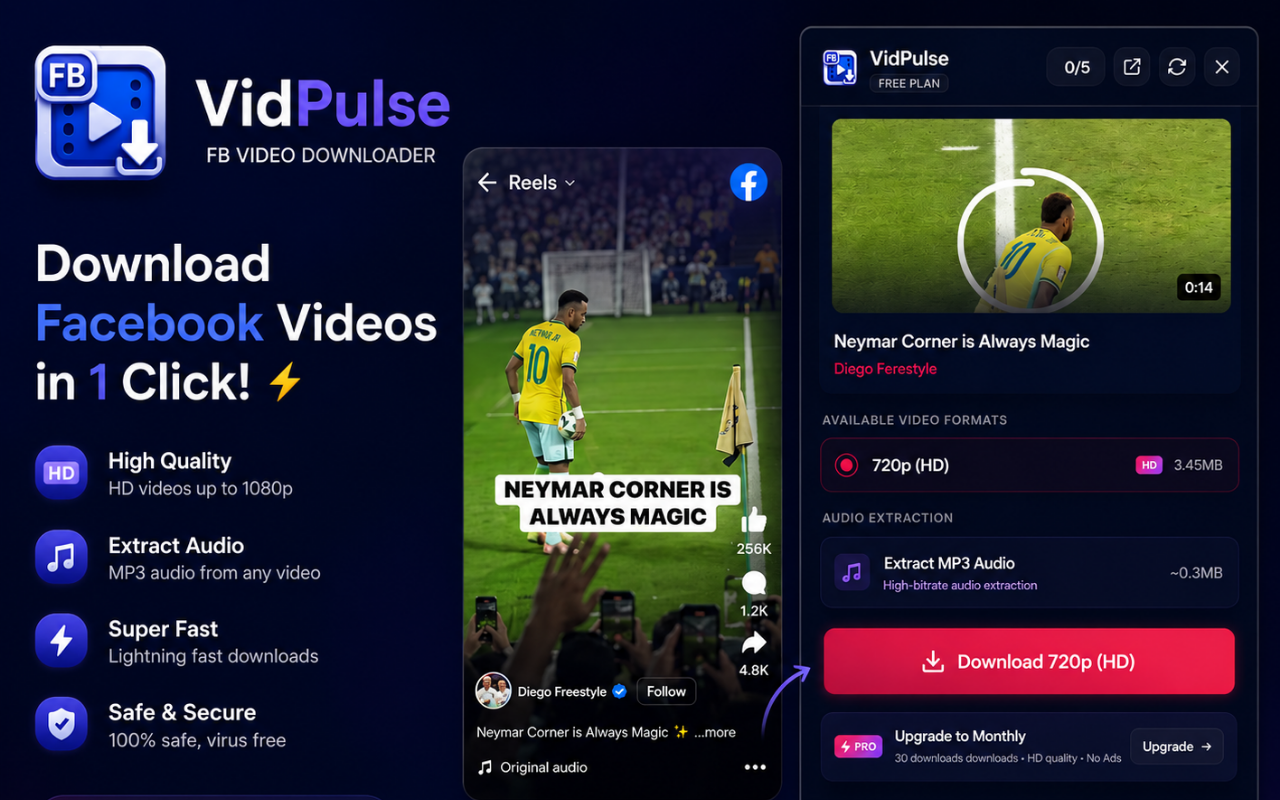
See screenshots of the VidPulse Extension user interface, settings, and player integration overlays.
Comprehensive Features
Everything you need to extract, capture, and download Facebook media content seamlessly.
HD Reels & Video Capture
Download Facebook Reels, Watch videos, profile streams, and live broadcasts in Full HD 1080p and 720p quality.
Smart Injected "Save" Button
Injects a native-looking crimson "Save" button overlay directly next to Facebook players, allowing downloads without leaving your feed.
High-Fidelity MP3 Audio
Convert and download Facebook videos directly to MP3 audio files. Perfect for saving podcasts, live DJ sets, or lectures.
Client-Side HLS Assembly
Downloads and compiles HTTP Live Streaming (HLS) video segments locally in your browser. Maximum download speeds without server latency.
Active Tab Auto-Detection
Open the extension popup and it instantly scans the active Facebook page URL. One click to scan without manual copy-pasting.
Google Profile Identity Sync
Synchronizes your account subscription limits securely using your signed-in Google Chrome profile. Secure and passwordless.
Custom Settings Console
Advanced developers can modify API endpoints, change limit configurations, and toggle developer verification modes.
Safe & Compliance-First
Fully compliant with Manifest V3 developer specifications. Strictly local data processing, no ad scripts, and no user tracking.
How to Download Facebook Reels & Videos
Get started in less than a minute. Save high-definition video archives with these simple steps.
Install the Extension
Add VidPulse Facebook Video Downloader to your Chromium-based browser (Chrome, Edge, Brave, Opera) in one click.
Browse to a Facebook Video
Open any reel, watch link, or profile page on Facebook. The extension will automatically detect the stream layers.
Click the "Save" Overlay
Hover over the video player to use the injected crimson "Save" button, or open the popup from your browser toolbar.
Choose Resolution and Save
Select your preferred MP4 resolution (1080p, 720p, etc.) or high-quality MP3 audio and start downloading instantly.
Online Download sites vs VidPulse Extension
See why a browser-integrated utility extension is superior to browser-based downloader sites.
| Task/Feature | Standard Online Sites | VidPulse Downloader |
|---|---|---|
| Download FB Reels & Videos | Bombarded with popups & redirect ads | One-click crimson pill overlay button |
| Extract Audio to MP3 | Upload to slow online conversion servers | Instant local MP3 extraction card |
| Tab Scan & Detection | Manually copy and paste links | Active tab auto-detection on popup open |
| Download Speed | Buffered single-thread web downloads | Multi-threaded client-side segment merging |
| Privacy and Tracking | Cookies tracked by spam websites | 100% local, ad-free Manifest V3 execution |
| Account Synchronization | Manual usernames and passwords | Passwordless Google Identity Profile Sync |
The Ultimate Guide to Facebook Video Downloads
Why Browser Extensions Eclipse Online Facebook Video Downloaders
Facebook is home to millions of hours of engaging video content, including gaming livestreams, quick comedy reels, educational posts, and community broadcasts. However, Facebook has never supported direct media downloads for off-platform viewing. When users want to archive streams, compilation channels, or save content for offline access, they generally resort to searching for online downloader sites.
Unfortunately, typical online video downloader websites present substantial security risks. They survive on aggressive display ads, invisible mining scripts, click-jacking layers, and pop-under redirects that can expose your computer to malware. Furthermore, because they execute download commands on remote virtual servers, they are heavily rate-limited by Facebook’s bot-detection headers.
A client-side browser extension like VidPulse runs locally inside your Google Chrome, Microsoft Edge, or Brave browser. It shares your actual browser session context, bypassing server restrictions to retrieve direct stream segments securely and safely.
Deep Dive into HLS Streaming and Video Compiling
To understand why other download methods fail on long videos, it helps to look at Facebook’s streaming pipeline. Instead of serving single raw MP4 files, modern media platforms use HLS (HTTP Live Streaming) or MPEG-DASH.
When a creator uploads a video or broadcasts a live feed, Facebook splits the content into hundreds of short 2-to-5 second chunks (typically packaged as .ts or .m4s segment files). An index file, known as an .m3u8 playlist, lists all these segment paths in sequence.
VidPulse tracks down this hidden .m3u8 index file in the background of your active tab. When you click "Save," the extension retrieves the segments concurrently, writes them into local browser memory, and compiles them into a single, cohesive MP4 video container. This completely eliminates server-side processing delay, guaranteeing fast, unthrottled downloads.
How to Save Facebook Reels and Audio in Seconds
For digital creators and editors who curate compilation clips, speed is crucial. Copying links from Facebook, launching another website, pasting the link, and waiting for server buffering consumes valuable time.
VidPulse streamlines this flow with DOM injection overlays. Whenever you navigate to a Facebook Reel or Watch stream, the extension overlay scripts insert a crimson "Save" button right next to the media player. Clicking this button triggers the downloader immediately without opening popup cards. If you only need background audio, VidPulse extracts the audio track from the HLS chunks and outputs a clean, high-bitrate MP3 file directly to your downloads directory.
Legal Guidelines and Safe Downloading Best Practices
When archiving video content off-platform, it is important to be aware of digital copyrights. Downloading public streams and reels for personal offline backup, archiving, or fair use criticism is generally protected.
However, redistributing downloaded media, creating unauthorized compilation uploads, or publishing content for commercial purposes without attribution to the original creator can violate Facebook's terms of service and copyright laws. We advise using VidPulse responsibly. Always secure approval from content creators if you plan to repurpose their media streams in your own edits.
Frequently Asked Questions
Find answers to common questions about our VidPulse Facebook Video Downloader.
Get Started with VidPulse Downloader
Join thousands of video editors, content creators, and media curators. Install the Chrome extension and start saving HD reels and clips today.
VidPulse Pricing & Policies
Plans, billing terms, and the policies that apply to the VidPulse extension.